Download DBeaver Community Edition for Windows, macOS, or Linux
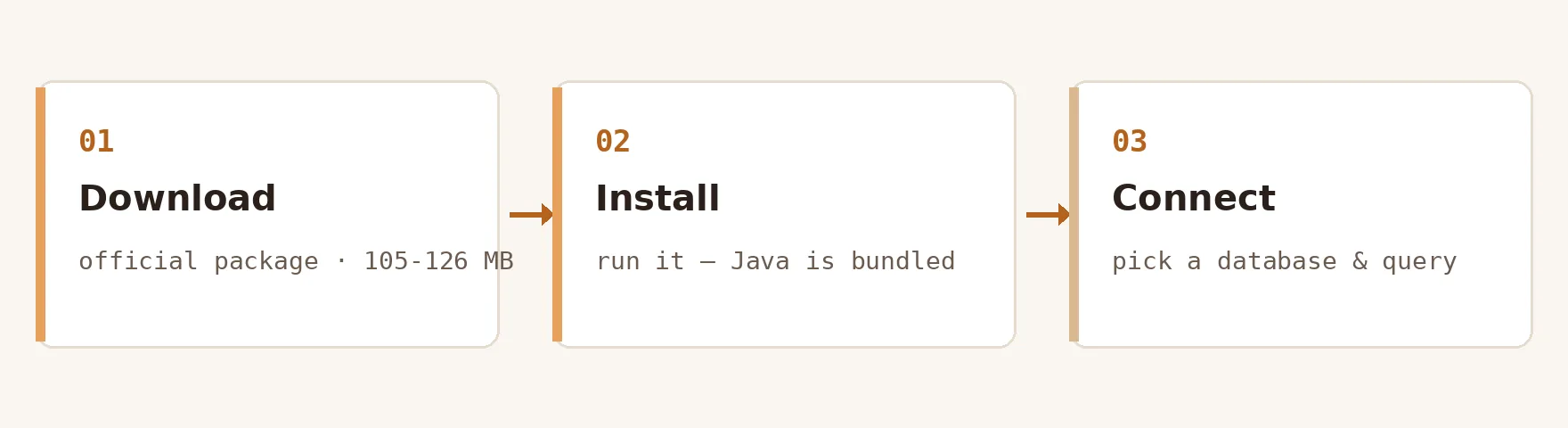
DBeaver is a free, open-source universal database tool that works with any database that has a JDBC driver. Download DBeaver 26.2.4 below and install it in about three minutes — every package on this page carries an installer size we verified against the official release assets, and each link resolves only to official sources (dbeaver.io and github.com/dbeaver). If you want to download DBeaver for Windows, macOS or Linux without hunting through mirrors, this is the whole list.
- v26.2.4 · 2026-11-01
- license Apache-2.0
- OpenJDK 21 bundled — no Java setup
- installers 107–124 MB
Every section below pairs the official package with how to install DBeaver on that platform, so the download and the setup steps stay together.
Windows10 / 11 — installer or portable3 builds
macOS13 Ventura or newer2 builds
DBeaver system requirements at a glance
Before you download DBeaver, the short version of the system requirements: a 64-bit OS from the last decade and no Java setup at all. DBeaver runs on Windows 10 or Windows Server 2016 and later (x86_64 or aarch64), macOS 11 Big Sur or later (Intel and Apple Silicon builds), and 64-bit Linux with GTK 3 (x86_64 or aarch64; .deb, .rpm, tar.gz, snap, flatpak). Every installer bundles OpenJDK 21, so there is no separate runtime to manage.
There is no official requirements page — the vendor tracks that request in GitHub issue #18209 — so we maintain a sourced one: see the full DBeaver system requirements breakdown, including community-derived RAM and disk guidance.
Download DBeaver for Windows 11 and 10
To download DBeaver for Windows, pick the installer that matches your processor: the x86_64 .exe (109.7 MB) for the Intel and AMD machines most people have, or the aarch64 build (107.5 MB) for Windows on ARM laptops such as the Snapdragon X series. Both are in the Windows folder of the download list above.
- Download DBeaver for Windows. Get
dbeaver-ce-26.2.4-windows-x86_64.exe(109.7 MB) from the list above, or from the official download page. On a Windows-on-ARM laptop, pick the aarch64 build instead. - Run the installer. Double-click the .exe and approve the User Account Control prompt. No administrator account is required for a single-user install.
- Follow the setup wizard. Accept the license, keep the default install location, and leave “DBeaver Community” selected. Java is not a separate step — OpenJDK 21 is bundled.
- Launch DBeaver. Finish the wizard with “Run DBeaver” checked, or start it from the Start menu.
That is the whole job — no Java step, no reboot, about three minutes end to end.
Prefer no installer? The Windows portable .zip (120.6 MB) unpacks anywhere and needs no admin rights — grab it from the offline installer page.
Download DBeaver for macOS (Intel and Apple Silicon)
- Download DBeaver for your Mac's chip. Apple Silicon Macs (M1–M4) need
macos-aarch64.dmg(118.9 MB); Intel Macs needmacos-x86_64.dmg(120.1 MB). Not sure? Check Apple menu → About This Mac → Chip. - Open the .dmg and drag DBeaver into Applications. That single drag is the whole install.
- First launch. Open DBeaver from Applications. If macOS shows an “unidentified developer” style warning, right-click the app and choose Open once — later launches are normal.
Download DBeaver for Ubuntu and other Linux distributions
On Linux you can download DBeaver as a direct .deb or .rpm package or a portable .tar.gz, or skip the download entirely and pull it from the official apt repository, snap or flatpak. The right choice depends on whether you want automatic updates and whether snap confinement fits your SSH setup.
Our dedicated guide covers how to install DBeaver on Ubuntu step by step — including the modern signed-by apt keyring syntax (most older tutorials still show the deprecated apt-key method), verified against the official repository metadata on 2026-11-02:
First launch: create your first database connection
Once you download DBeaver and run the installer, the first database connection is the other half of the job:
- Create a connection. On first launch DBeaver opens the connection wizard — pick your database (PostgreSQL, MySQL, SQLite, or any engine with a JDBC driver) and enter host, port, and credentials.
- Let DBeaver fetch the driver. Drivers download on demand the first time you use a database type. Working without internet? See the offline installer guide for adding driver JARs manually.
- Test and connect. Click “Test Connection”, then Finish. Your database appears in the Database Navigator, ready for the SQL editor.
Which DBeaver package should you download?
The last decision before you download DBeaver is which packaging fits your machine:
| criteria | installer (.exe / .dmg / .deb) | portable (.zip / .tar.gz) | store (Microsoft Store / snap) |
|---|---|---|---|
| Best for | Most users — guided setup, menu shortcuts | USB sticks, no-admin machines, side-by-side versions | Hands-off automatic updates |
| Admin rights | Not required for single-user install | Never required | Store account / snapd required |
| Updates | In-app updater | Manual — replace the folder | Automatic via the store |
| Download size | 107.5–123.3 MB (verified) | 118.3–123.1 MB (verified) | Varies by store |
| Caveats | — | No shortcuts created | Snap confinement can block ~/.ssh — see the Ubuntu guide |
Recent DBeaver versions and what changed
DBeaver Community Edition ships a release roughly every two to three weeks — 8 releases since 2026-07-19 alone (per the GitHub releases API). Recent history:
- 26.2.4 — Current release — see the official release notes on GitHub.
- 26.2.3 — See the official release notes on GitHub.
- 26.2.2 — Maintenance release — see the official release notes.
- 26.2.1 — Maintenance release — see the official release notes.
The list above always resolves to the current release, so you download DBeaver 26.2.4 rather than whatever a mirror last cached. Need a specific older release, or stuck on an older OS? The DBeaver older versions page lists dated, official per-version links — safer than repackaging sites.
DBeaver download FAQ
Is DBeaver free?
Yes. If you searched “is DBeaver free”, the short answer is an unqualified yes: DBeaver Community Edition is free for personal and commercial use under the Apache License 2.0, with the source code public on GitHub. The separate PRO editions are paid commercial products sold by DBeaver Corp.
Is this the official DBeaver website?
No. This is an independent, unofficial download and install guide. The official site is dbeaver.io, and every link on this page sends you to download DBeaver from official distribution channels — dbeaver.io or the dbeaver/dbeaver GitHub releases.
Does this page cover how to install DBeaver, or only the download?
Both. Each platform section pairs the official package with the install steps that follow it, so Windows, macOS and Linux are all answered on this page rather than a separate one. Ubuntu has extra package managers to weigh up, so it also gets a dedicated apt, snap and flatpak guide.
Where can I download DBeaver for Windows safely?
From the official sources only: the dbeaver.io download page or the dbeaver/dbeaver GitHub releases. Both are linked in the Windows folder above, which lists the x86_64 installer (109.7 MB), the aarch64 installer for Windows on ARM (107.5 MB), and the portable .zip (120.6 MB) that needs no admin rights.
Do I need to install Java before installing DBeaver?
No. Every DBeaver installer has bundled its own Java runtime since version 23.0 — release 26.2.4 ships OpenJDK 21 inside the package, so there is nothing to install first and your system Java is never touched.
Is there a DBeaver offline installer?
Yes. Every official DBeaver package is a full offline installer — the .exe, .dmg, .deb, .rpm and .tar.gz files contain the complete application and Java runtime. Only database drivers download on demand; our DBeaver offline installer guide covers direct links and offline driver setup.
Which download is right for an M1, M2, M3 or M4 Mac?
The macOS aarch64 build. Apple Silicon Macs should use dbeaver-ce-26.2.4-macos-aarch64.dmg (118.9 MB); the x86_64 .dmg is for Intel Macs and would only run through Rosetta translation.
Does DBeaver run on Windows 7 or 8?
No, not officially. DBeaver lists Windows 10 or Windows Server 2016 as the minimum supported Windows. Very old releases may still start on Windows 7, but they are unsupported and miss years of fixes — see DBeaver older versions for the honest trade-offs.
How long does it take to download and install DBeaver?
About two to three minutes on a typical connection — how to install DBeaver is the quick part, and the download dominates. The download is 107–124 MB depending on platform (verified against the 26.2.4 release assets), the setup wizard takes under a minute, and no Java install or reboot is needed.
What is the difference between DBeaver Community and PRO?
DBeaver Community Edition is the free, open-source desktop tool covered by this guide. Asking “is DBeaver free” about the PRO editions gets a different answer: no — they are commercial licenses from DBeaver Corp that add extra drivers and enterprise features, listed with pricing on the vendor's dbeaver.com.
Is DBeaver safe to download?
Yes, from official sources. DBeaver Community Edition is open source under Apache 2.0, so download DBeaver from dbeaver.io or the dbeaver/dbeaver GitHub releases — exactly where every link on this site resolves. Avoid third-party repackaging sites, which bundle old versions or unwanted extras.
How do I update DBeaver to a new version?
Use the built-in updater (Help → Check for Updates) or install the new version over the old one — settings and connections are kept in your user workspace, not the install folder. New releases ship roughly every two to three weeks.
About this guide
This site exists because the official documentation splits the download links and how to install DBeaver across separate pages per platform, and several top-ranking third-party tutorials are years out of date. Here, one page covers all three operating systems, and the data is checked against the source: version, dates and installer sizes on this page were read from the official GitHub release assets on 2026-11-02, and comparisons cite the vendor's own documentation.
dbeaver.dev is independent and unofficial — not affiliated with, endorsed by, or sponsored by DBeaver Corp. We host no binaries: every link here sends you to download DBeaver from dbeaver.io or github.com/dbeaver. Found an error? Email [email protected] — keeping these download links and sizes accurate for every release is this site's entire job. Written and maintained by Clarence N. Adams, Editor, Unofficial DBeaver Guide — updated 2026-11-01.